How to create JAMB portal 2026 is the first important step for thousands of fresh candidates who want to participate in this year’s admission process.
Whether you are registering for Direct Entry, missed the main UTME registration, or need a fresh profile for any reason, creating your JAMB e-Facility portal account is quick and straightforward when you follow the right steps.
Advertisements
Many candidates get stuck at this stage because they use the wrong link or enter incorrect details. In the 2026 cycle, having your own portal account gives you full control over result checking, admission status monitoring, slip reprinting, and CAPS activities. Let’s walk through the exact process so you can create your account successfully today.
Why Creating a JAMB Portal Account in 2026 Is Essential
Your JAMB portal (officially called the e-Facility account) is your personal gateway to everything admission-related. Once created, you can:
- Check your UTME or Direct Entry result
- Monitor admission offers on CAPS
- Reprint examination and result slips
- Upload O’level results
- Print official admission letters
- Make changes to your profile when allowed
Without this account, you cannot access any of these services. Creating it early prevents last-minute panic during admission processing.
Who Needs to Create a JAMB Portal in 2026?
You should create a new portal if:
- You are a Direct Entry candidate registering for the first time
- You registered for UTME but never created an e-Facility account
- You forgot your previous login details and cannot recover them
- You are applying with a different email or phone number
Note that if you already have an account from previous years, you should try logging in with the old credentials first before creating a new one.
What You Need Before Creating Your JAMB Portal 2026
Prepare these items to make the process smooth:
- A valid email address you can access immediately
- A working phone number
- Your personal details (full name, date of birth, state of origin, etc.) exactly as they appear on your credentials
- Stable internet connection
- A smartphone or laptop
Use a personal email (Gmail or Yahoo recommended) rather than a school email that might expire.
Step-by-Step: How to Create JAMB Portal 2026
Follow these steps carefully in April 2026:
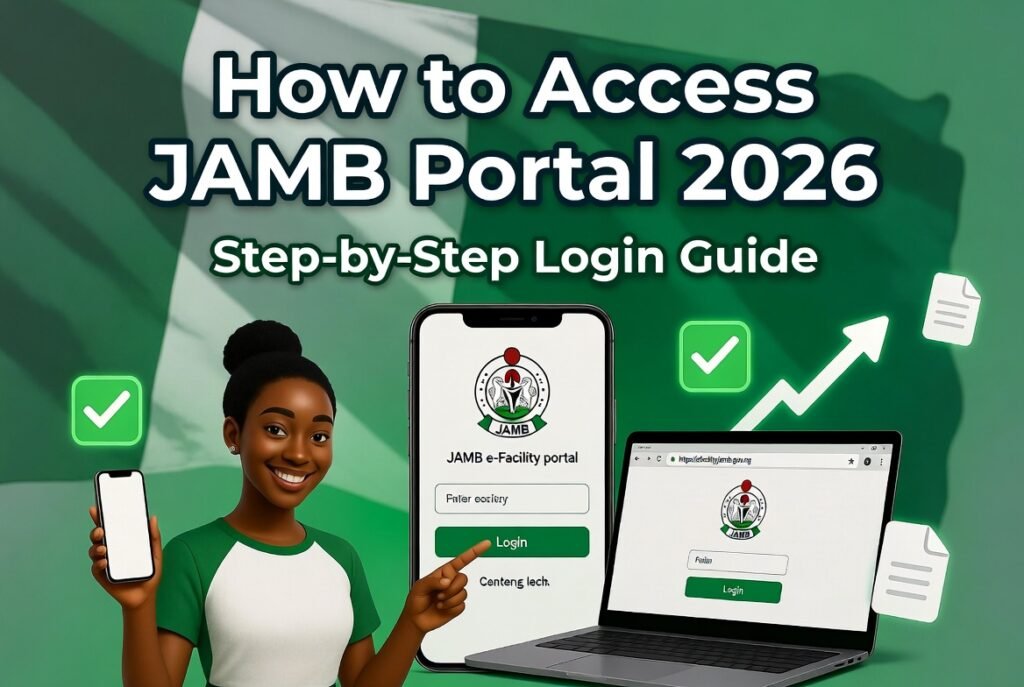
Step 1: Visit the Official JAMB Website Open your browser and go to https://www.jamb.gov.ng or directly to https://efacility.jamb.gov.ng/
Step 2: Locate the Create Account Option On the homepage, look for and click “Create e-Facility Account” or “Sign Up / Register”. Avoid any other links that look similar.
Step 3: Fill in Your Personal Information Enter the following accurately:
- Full name (as it appears on your WAEC/NECO certificate)
- Date of birth
- Gender
- State of origin and local government
- Valid email address
- Phone number
Make sure every detail matches your official documents to avoid future verification problems.
Step 4: Create a Strong Password Choose a password with at least 8 characters, including uppercase letters, numbers, and symbols. Write it down or save it securely — you will need it every time you log in.
Step 5: Verify Your Email JAMB will send a verification link to the email you provided. Open your email inbox (check spam folder too), click the link, and complete the verification.
Step 6: Complete Your Profile After verification, log in with your new email and password. Fill in any remaining details such as:
- Nationality
- Disability status (if applicable)
- Academic qualifications
Save everything carefully.
Step 7: Confirm Account Creation Once all sections are filled and saved, your JAMB portal account is active. You can now use it to buy any remaining e-PIN if needed or proceed with other services.
Common Mistakes to Avoid When Creating JAMB Portal 2026
- Using someone else’s email or phone number — the account must belong to you.
- Entering wrong name spelling or date of birth — this causes serious problems later.
- Using weak or easy-to-guess passwords.
- Ignoring email verification — your account will remain inactive.
- Creating multiple accounts — JAMB may flag and suspend them.
Take your time during registration. Rushing often leads to errors that are difficult to correct.
After Creating Your JAMB Portal: Next Important Actions
Once your account is ready, do these immediately:
- Log in and update your profile completely.
- Upload your O’level results if available (WAEC or NECO).
- Save your login details securely.
- Take a screenshot of your dashboard for records.
- Bookmark the portal URL on your phone.
These small steps make future logins and checks much easier.
How to Recover or Reactivate a JAMB Portal If You Already Have One
If you think you created an account before but cannot remember the details:
- Go to the login page and click “Forgot Password”.
- Enter the email you used previously.
- Follow the reset instructions sent to that email.
Only create a completely new account if the recovery fails after several attempts.
Tips for Successful JAMB Portal Creation in 2026
- Use a strong, unique password you don’t use for other accounts.
- Work on a stable Wi-Fi connection rather than fluctuating mobile data.
- Double-check every detail before clicking “Submit” or “Save”.
- Create the account during off-peak hours (early morning or late night) for faster processing.
- Keep both digital and written records of your registration number and login details.
Safety Precautions
- Never pay anyone to create a JAMB portal for you — it is completely free to do yourself.
- Avoid third-party websites or agents claiming to help with faster creation.
- Always confirm you are on the genuine jamb.gov.ng domain.
- Do not share your new login details with anyone.
Frequently Asked Questions About How to Create JAMB Portal 2026
Q: Is creating the JAMB portal free? Yes, account creation is completely free. Only certain services inside the portal (like printing some slips) may attract small official fees.
Q: Can I use the same account for multiple years? Yes. Your e-Facility account is designed to last for several admission cycles.
Q: What if I made a mistake in my details after creating the account? Visit a JAMB accredited CBT centre or office with your credentials for correction. Some changes cannot be done online.
Q: How long does it take for the account to become active? Usually instantly after email verification. In rare cases, it may take a few hours.
Q: Can I create the portal on my phone only? Yes. The process works perfectly on any smartphone browser.
People also read: How to Check School Admission List on JAMB CAPS 2026: Simple Step-by-Step Guide for Every Candidate
How to create JAMB portal 2026 is the foundation for your entire admission journey this year. Once your account is active, you gain full access to check results, monitor CAPS, and manage every step toward university admission.
Take action right now while the process is fresh in your mind. Open your browser, visit the official site, and create your portal account carefully. A few minutes invested today will save you hours of stress later.
Your admission success starts with having the right portal. Create it properly and stay in control throughout the 2026 season.
We are an independent educational resource and not affiliated with JAMB or any government institution. Always verify the latest registration procedures directly on the official JAMB website, as small changes can occur.
Sources:
- Joint Admissions and Matriculation Board Official Website: https://www.jamb.gov.ng/
- JAMB e-Facility Portal: https://efacility.jamb.gov.ng/
- Official guidelines on e-Facility account creation for 2026