How to reprint JAMB slip 2026 is one of the most searched queries right now as candidates prepare for Post UTME screening, admission processes, and school registration. Whether you need your examination slip for screening or your result slip for documentation, reprinting it is straightforward and can be done from your phone in minutes.
Many candidates lose or misplace their original printed slip after the exam, only to discover later that schools and screening officers demand a fresh copy. In the 2026 admission cycle, having a clean, official reprint with your photo and details can save you unnecessary stress and back-and-forth.
Advertisements
Let’s walk through the exact process that works today so you can get your JAMB slip reprinted quickly and correctly.
Why You Might Need to Reprint Your JAMB Slip in 2026
The JAMB slip serves several important purposes during the admission season:
- Examination Slip: Shows your exam centre, date, and seat number (still useful for reference)
- Result Slip: Displays your UTME scores and is often required during Post UTME screening and school registration
- Admission Letter: Generated after accepting an offer through CAPS
Schools, polytechnics, and colleges frequently ask for the official reprint because photocopies or old prints may not be accepted. Reprinting ensures the document has the latest information, including any updates you made to your profile.
Reprinting is also useful if the original printout got damaged, faded, or was lost during travel.
What You Need Before Reprinting Your JAMB Slip
Gather these items first to avoid interruptions:
- Your 10-digit JAMB registration number
- The email address and password linked to your e-Facility account
- A smartphone with internet or a laptop
- Some airtime or data (the process uses very little)
- A working printer if you want a physical copy immediately (optional — you can save as PDF)
If you’ve already logged into the portal to check your result or admission status, you’re ready to go.
Step-by-Step: How to Reprint JAMB Slip 2026 Using Your Phone
This method works reliably on both Android and iPhone in April 2026:
Step 1: Open Your Mobile Browser Use Chrome or Safari. For a better view, switch to Desktop site mode (three dots → Desktop site).
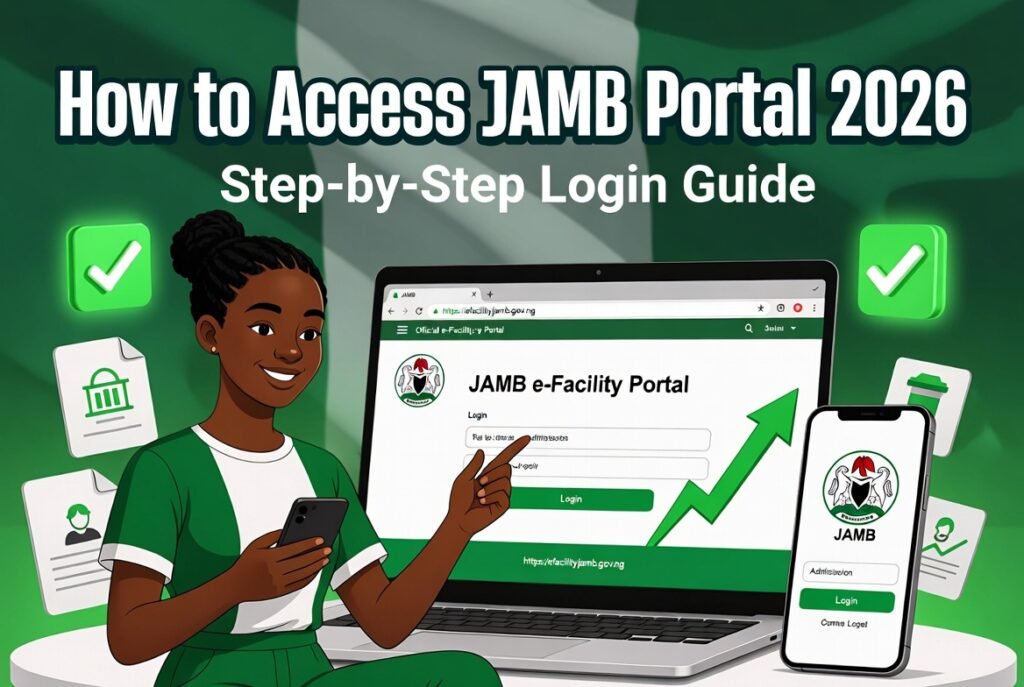
Step 2: Visit the Official JAMB Portal Go to https://efacility.jamb.gov.ng/
Step 3: Log Into Your e-Facility Account Enter your registered email and password. If you forget the password, click “Forgot Password” and reset it through your email.
Step 4: Navigate to the Printing Section Once logged in, look for options such as:
- “Print Examination Slip”
- “Print Result Slip”
- “Print Admission Letter” (only available after accepting an offer)
Select the specific slip you need.
Step 5: Pay Any Required Fee and Generate the Slip Some reprints (especially result slips and admission letters) attract a small official fee, usually between ₦1,000 and ₦2,000, payable via Remita or approved channels. After payment, the PDF will generate. Download it immediately and take clear screenshots as backup.
Step 6: Print or Save Open the downloaded PDF and print it at a nearby business centre or save it on your phone for digital submission where allowed.
The entire process usually takes less than 10 minutes once you’re logged in.
Alternative Method: Reprinting JAMB Slip at a CBT Centre
If the online method fails or you prefer assistance:
- Visit any accredited JAMB CBT centre with your registration number and a valid ID.
- Tell them you want to reprint your slip.
- They will log into the system, generate the document, and print it for you on the spot for a small service charge.
This option is helpful if you have network issues or don’t have a printer.
Common Problems When Trying to Reprint JAMB Slip and Fixes
Here are the issues candidates face most often and how to solve them:
“Print Option Not Showing” Make sure you are fully logged into the e-Facility portal. Some options only appear after your result is released or admission is accepted.
Payment Failure Try a different payment method or network. Remita sometimes has temporary glitches during peak periods.
PDF Not Downloading Clear your browser cache or try a different browser. On mobile, long-press the download link and choose “Download link”.
“No Record Found” Double-check your registration number. If the issue persists, your profile may need updating at a JAMB office.
Portal Loading Slowly Avoid peak hours (evenings). Try early morning or late night for faster access.
Pro Tips for Reprinting JAMB Slip Successfully in 2026
- Always use the exact official URL to avoid fake sites.
- Save the PDF in multiple places: phone storage, Google Drive, and email it to yourself.
- Print at least two physical copies — one for submission and one for your records.
- Check that your photo, name, and registration number are correct on the reprint.
- Reprint immediately after any profile update (O’level upload, change of institution, etc.).
Candidates who keep digital and physical copies rarely face last-minute problems during screening.
Difference Between Examination Slip and Result Slip
Understanding what you’re reprinting helps you choose the right option:
- Examination Slip: Contains your exam details, photo, and centre. Useful mainly for reference now.
- Result Slip: Shows your subject scores and total. Most schools demand this during Post UTME and admission screening.
- Admission Letter: Only available after you accept an offer on CAPS. This is the official document proving you’ve been admitted.
In 2026, most institutions ask specifically for the result slip reprint.
Safety Precautions When Reprinting Your JAMB Slip
- Never share your login details or registration number with anyone offering to reprint for you.
- Avoid third-party websites or agents claiming faster service — they are often scams.
- Always verify you are on the genuine jamb.gov.ng or efacility.jamb.gov.ng domain.
- Log out after completing the process, especially on shared devices.
Staying safe protects your account from unauthorised access.
Frequently Asked Questions About Reprinting JAMB Slip 2026
Q: Is reprinting the JAMB slip free? Viewing and basic examination slip reprint may be free, but result slips and admission letters usually require a small official payment.
Q: How many times can I reprint my slip? You can reprint as many times as needed, but each paid reprint attracts the fee.
Q: Can I reprint without internet on my phone? No. The process requires the online portal. Visit a CBT centre if you have no data.
Q: What if my photo is missing or wrong on the reprint? Visit a JAMB office or accredited centre with your original credentials for correction.
Q: Do schools accept digital copies or only printed ones? Most prefer printed copies, but some now accept clear PDF versions during initial screening. Confirm with your school.
People also read: How to Check JAMB Admission Status 2026: Complete Step-by-Step Guide Using Phone or Laptop
How to reprint JAMB slip 2026 is a simple process once you follow the right steps. Don’t wait until the last minute when screening centres are crowded and networks are slow.
Take a few minutes right now, log into the portal, and reprint the slips you need. Keep both digital and physical copies handy. A well-prepared candidate moves smoothly through every stage of the admission process.
Your JAMB slip is more than just a piece of paper — it’s official proof of your journey. Get it sorted today and focus on the next exciting step toward university admission.
We are an independent educational resource and not affiliated with JAMB or any government institution. Always verify fees, procedures, and requirements directly on the official JAMB e-Facility portal, as policies can be updated.
Sources:
- Joint Admissions and Matriculation Board Official Website: https://www.jamb.gov.ng/
- JAMB e-Facility Portal: https://efacility.jamb.gov.ng/
- Official guidelines on document printing for 2026 admissions